Tag: Korea for Foreigners

  • How to Use the Seoul Subway: A Beginner-Friendly Guide for First-Time Visitors

    How to Use the Seoul Subway: A Beginner-Friendly Guide for First-Time Visitors

    If it’s your first time in Seoul, the subway might look overwhelming.
    So many lines. So many stations. So many signs in Korean.

    But here’s the good news:

    👉 Seoul has one of the easiest and most efficient subway systems in the world.

    This guide will walk you step-by-step through everything you need to know — from buying a transportation card to transferring between lines.


    1. Why You Should Use the Seoul Subway

    The Seoul subway is:

    • Clean and safe
    • Affordable
    • Well-connected
    • Foreign traveler–friendly

    It connects major attractions like:

    If you’re staying in Seoul for more than a day, the subway will likely be your main transportation method.


    2. Get a T-money Card (Highly Recommended)

    T-money card used for the Seoul subway and public transportation
    A T-money card used to pay for subway, bus, and other public transportation in Seoul. Source: wikipedia

    Before riding the subway, get a T-money transportation card.

    You can buy one at:

    • Convenience stores (GS25, CU, 7-Eleven)
    • Airport railroad stations
    • Subway stations

    If you prefer not to carry a physical card, you can also use mobile T-money on your smartphone. Both Android and iPhone now support digital transit cards.

    However, the setup process is slightly different and may require cash recharge at subway stations.

    👉 Read the full guide here:
    How to Use Mobile T-money on Android and iPhone

    Why you need it:

    • No need to buy a ticket every time
    • Easy transfers between subway and bus
    • Slightly cheaper fares

    💡 Tip: Recharge your card with cash at any subway station recharge machine.


    3. Understanding Subway Lines

    Seoul subway map showing all metro lines and transfer stations in Seoul, South Korea
    Source: Seoul Metro – Seoul Metro Cyber Station (updated as of March 2026)

    Seoul’s subway lines are color-coded and numbered, making them relatively easy to follow.

    For example:

    • Line 1 – Dark Blue
    • Line 2 – Green (Circle Line)
    • Line 3 – Orange
    • Line 4 – Light Blue

    Each station also has a station number, which helps travelers identify stops even if they cannot read Korean.

    The most commonly used line for tourists is Line 2, which circles central Seoul and connects several popular areas such as Hongdae and Gangnam.

    Inside the train, station announcements are made in Korean, English, Chinese, and Japanese.


    Subway Map Apps

    If you want a simple way to check subway routes and transfer stations, you can also use a subway map app.

    Here are two useful apps for navigating the Seoul subway:

    • KakaoMetro
      A popular subway navigation app that provides route search, transfer information, and estimated travel times. It also works offline, which can be useful for travelers.
      Download:
    • Subway Korea
      A lightweight app that focuses on subway maps and route planning. It supports multiple Korean cities and is easy for beginners to use.
      Download:

    These apps make it easier to understand subway routes, especially when planning trips that involve multiple transfers.


    💡 Tip:

    If you need full navigation including walking directions, restaurants, and bus routes, check out this guide:
    👉 Best Map Apps for Korea Travel.


    4. How to Enter the Subway

    Seoul subway ticket gate with T-money card reader on the right side
    A typical Seoul subway gate. Tap your T-money card or phone on the card reader located on the right side of the gate. Source: Yonhap News Agency

    Entering the subway in Seoul is simple once you know where to tap your card.

    Follow these steps:

    1. Look for a gate with a green arrow, which indicates that the gate is available for entry.
    2. Tap your T-money card or phone on the card reader located on your right side of the gate.
    3. Wait for the green light and a short beep sound.
    4. Walk through the gate.

    When exiting the station, tap your card again on the reader to complete your trip.

    ⚠️ If you forget to tap when leaving, the system may charge an additional fare later.

    💡 Tips:

    • Gates marked with a green arrow are available for entry.
    • Gates showing a red X cannot be used.
    • The card reader is usually placed on top of the gate on your right side and marked with a contactless payment symbol.
    • If the gate does not open, try tapping your card again.

    5. Finding the Right Platform

    Every line has two directions, usually based on the last station of that line.

    For example:

    • “Line 4 → Danggogae”
    • “Line 4 → Oido”

    Always check:

    • The line number
    • The direction (final destination station)

    Google Maps works in Korea, but local apps like Naver Map or Kakao Map are often more accurate for subway navigation. Check out this guide:
    👉 Best Map Apps for Korea Travel.


    6. Transferring Between Lines

    Seoul subway transfer sign showing direction to another line
    Transfer signs inside a Seoul subway station guide passengers to different lines using line numbers and colored arrows. Source: Rail Economy News

    Many stations in the Seoul Metropolitan Subway connect multiple lines, making it easy to transfer during your trip.

    Inside stations, transfers are clearly marked with:

    • “Transfer” signs
    • Line numbers
    • Colored arrows that match each subway line

    Some transfer stations are very large, so moving between lines may require a 5–10 minute walk inside the station.

    Don’t worry — just follow the colored signs on the walls and floors, and they will guide you to the correct line.

    If you want to learn more about transfer rules, time limits, and how transfers work between subways and buses, see this guide:
    👉 Seoul Subway Transfer Guide


    7. Subway Etiquette in Korea

    Korean subway culture is polite and quiet.

    Please remember:

    • Give priority seats to elderly and pregnant passengers
    • Do not talk loudly
    • No phone calls inside the train
    • Let passengers exit before entering

    Priority seats are usually marked in a different color.


    8. Last Train Time (Important!)

    Most subway lines stop running around:

    🕛 Midnight – 12:30 AM

    If you stay out late in areas like Hongdae or Gangnam, check the last train time in advance.

    Otherwise, you’ll need to take a taxi.


    9. Bonus Tips for First-Time Riders

    ✔ Avoid rush hour (8–9 AM, 6–7 PM)

    ✔ Stand on the right side of escalators

    ✔ Subway Wi-Fi is available

    ✔ Stations have clean restrooms


    10. Is the Seoul Subway Safe for Tourists?

    Yes. The Seoul subway is considered one of the safest public transportation systems in the world, and it is widely used by both locals and international visitors.

    Stations and trains are generally clean, well-lit, and equipped with modern safety features.

    Some safety features you will notice include:

    • Platform screen doors at most stations
    • Security cameras throughout stations and trains
    • Clear station announcements in multiple languages (Korean, English, Chinese, and Japanese)
    • Emergency help buttons on platforms

    Because of these systems, many travelers feel comfortable using the subway even when traveling alone.


    Safety Tips for Travelers

    Although Seoul is very safe, it’s still a good idea to follow basic travel precautions:

    • Keep an eye on your belongings during busy rush hours
    • Avoid blocking the doors when entering or exiting trains
    • Follow station signs and announcements carefully

    Late at night, the subway is still generally safe, but trains may be less frequent as the system approaches the last train around midnight.


    Traveling at Night

    Many popular nightlife areas such as Hongdae and Gangnam remain busy late into the night.

    If you miss the last subway, taxis are widely available and relatively affordable compared to many other major cities.
    If you’re not sure how to get one, check out this guide:
    👉 How to Call a Taxi in Korea Using Mobile Apps


    💡 Tip:

    If you’re traveling alone in Seoul, the subway is usually one of the safest and most convenient ways to get around the city.


    FAQ: Using the Seoul Subway

    Is the Seoul subway easy for tourists?

    Yes. The Seoul subway system is very tourist-friendly, with English station names, multilingual announcements, and clear signs throughout the stations.


    Can tourists buy a T-money card?

    Yes. Tourists can easily buy a T-money card at convenience stores or subway stations and recharge it with cash.


    Can I use my phone instead of a T-money card?

    Yes. Some travelers use a mobile transit card through Mobile T-money on Android or add a transit card to Apple Wallet on iPhone.

    However, a physical T-money card is still the simplest option for most short-term visitors.


    Does the Seoul subway accept credit cards?

    Most subway gates do not accept direct credit card payments.

    Instead, you should use a T-money transportation card or mobile transit card.


    What time does the Seoul subway close?

    Most subway lines stop operating around midnight to 12:30 AM, although the exact time depends on the line and station.

  • 🇰🇷 Best Map Apps for Korea Travel

    🇰🇷 Best Map Apps for Korea Travel

    Google Maps vs Naver Map vs Kakao Map (2026 Guide)

    When traveling in South Korea, having the right map app can make or break your trip.
    Navigation, public transportation, restaurant search, and even taxi rides all depend on it.

    Many foreign travelers rely on Google Maps, but in Korea, it’s often not enough.
    This guide compares the three most popular map apps in Korea — Google Maps, Naver Map, and Kakao Map — and explains which one you should use depending on your travel style.


    📍 Why Google Maps Is Limited in Korea

    Google Maps works well in many countries, but in South Korea its functionality is restricted due to local map data regulations.

    As a result, travelers may experience:

    • 🚫 Inaccurate driving directions
    • 🚫 Limited walking and public transport routes
    • 🚫 Outdated business and street information

    That’s why most locals — and experienced travelers — use Korean map apps instead.


    🗺️ Comparison of Map Apps in Korea

    Here’s a quick comparison based on features that matter most to foreign visitors.

    FeatureGoogle MapsNaver MapKakao Map
    English Support⭐⭐⭐⭐☆⭐⭐⭐⭐☆⭐⭐⭐☆☆
    Walking Navigation⭐⭐☆☆☆⭐⭐⭐⭐⭐⭐⭐⭐⭐☆
    Public Transportation⭐⭐☆☆☆⭐⭐⭐⭐⭐⭐⭐⭐⭐☆
    Restaurant & Cafe Info⭐⭐⭐☆☆⭐⭐⭐⭐⭐⭐⭐⭐⭐☆
    Taxi IntegrationKakao T
    Best ForFamiliar UI
    (Not recommended)
    Accurate navigationLocal spots & taxis

    🟢 Google Maps – Familiar but Basic

    Best for:

    ✔ First-time visitors

    ✔ Quick place searches

    ✔ Travelers who prefer a familiar interface

    Pros

    • Strong English support
    • Easy to use worldwide
    • Useful for finding major landmarks and hotels

    Cons

    • Poor walking and transit navigation
    • Limited real-time updates
    • Not optimized for Korean streets

    👉 Recommendation: Use Google Maps as a secondary app in Korea.

    📲 Download Google Maps


    🔵 Naver Map – The Most Accurate Map App in Korea

    Best for:

    ✔ Walking and public transportation

    ✔ Detailed navigation

    ✔ Independent travelers

    Pros

    • Most accurate map data in Korea
    • Excellent subway and bus routing
    • Real-time walking navigation
    • Rich local reviews and photos
    • English interface available (updated with strong improvement in December 2024)

    Cons

    • Some search results appear in Korean
    • Account setup may take a few minutes

    👉 Best overall choice for foreign travelers in Korea

    📲 Download Naver Map


    🟡 Kakao Map – Best for Taxis & Local Places

    Best for:

    ✔ Restaurant and cafe discovery

    ✔ Taxi-based travel

    ✔ Exploring local neighborhoods

    Pros

    • Seamless integration with Kakao Talk (messenger app) and Kakao T (taxi app)
    • Rich local reviews and photos
    • Fast and intuitive interface

    Cons

    • English support is weaker than Naver Map
    • Less optimized for tourists

    📲 Download Naver Map


    🇰🇷 A Local Korean Perspective

    As a Korean local, I rarely use Google Maps within Korea.
    While it may feel familiar to international travelers, it is not commonly used by locals and lacks the level of detail needed for daily navigation.

    My primary map app is Naver Map, and I use Kakao Map only as a secondary tool.

    I rely on Naver Map for several reasons:

    • It is the most useful app for searching places in Korea
    • It integrates seamlessly with public transportation, walking routes, and car navigation
    • Most importantly, it has the largest user base in Korea, which means:
      • More reviews
      • More photos
      • More up-to-date and reliable information

    Because so many people actively use Naver Map, the quality and quantity of information are noticeably better compared to other apps.

    On the other hand, my use of Kakao Map is very limited.
    I mainly open it only when sharing a location through KakaoTalk, since Kakao Map links are commonly used inside Korea’s most popular messaging app.

    👉 In short:
    If you want to use the same map app that Koreans trust and use every day, Naver Map is the best choice. Kakao Map can be helpful in specific situations, but it is not essential for most travelers.


    ✈️ Helpful Tips for Using Maps in Korea

    • Search by place name rather than street address
    • Use Naver Map for subway transfers
    • Use Kakao T for taxis instead of hailing on the street
    • Save locations in advance for easier navigation

    📌 This article is part of our Complete Korea Travel Guide.

    Explore all essential tips for traveling in Korea in one place.

  • How to Call a Taxi in Korea Using Mobile Apps

    How to Call a Taxi in Korea Using Mobile Apps

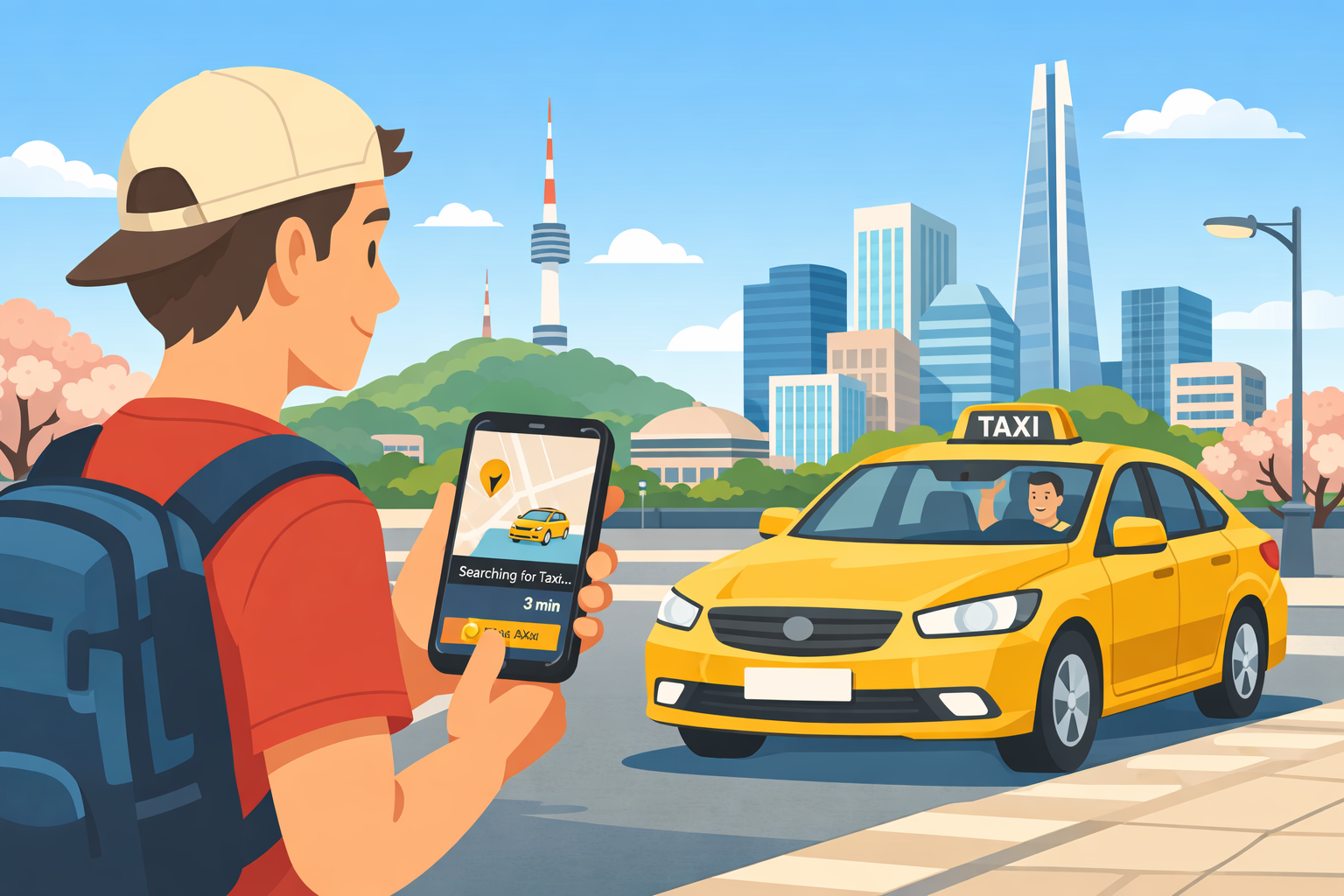
    Traveling around Korea is convenient, and calling a taxi using a mobile app is one of the easiest ways to get around — even if you don’t speak Korean.

    This guide explains how to call a taxi in Korea using apps, focusing on the two most commonly used options for international visitors: Kakao T and Uber.


    Why Use Taxi Apps in Korea?

    While taxis are easy to find in major cities, using an app offers several advantages:

    • 📍 Exact pickup location via GPS
    • 💬 No need to explain destinations in Korean
    • 💳 Cashless payment options
    • 🚕 Reduced risk of miscommunication

    For first-time visitors, taxi apps make transportation much more stress-free.


    Kakao T: The Most Popular Taxi App in Korea

    What Is Kakao T?

    Kakao T is the most widely used taxi-hailing app in Korea and is operated by Kakao, the company behind KakaoTalk.

    It connects users to regular taxis, deluxe taxis, and even international-friendly services in some areas.


    How to Use Kakao T (Step-by-Step)

    1. Download Kakao T from the App Store or Google Play
      App Store: https://apps.apple.com/kr/app/%EC%B9%B4%EC%B9%B4%EC%98%A4-t-%ED%83%9D%EC%8B%9C-%EB%8C%80%EB%A6%AC-%EC%A3%BC%EC%B0%A8-%EB%B0%94%EC%9D%B4%ED%81%AC-%ED%95%AD%EA%B3%B5-%ED%80%B5/id981110422
      Google Play: https://play.google.com/store/apps/details?id=com.kakao.taxi&hl=ko
    2. Sign up using your phone number (international numbers are supported)
    3. Enable GPS and location permissions
    4. Enter your destination using the search bar
    5. Confirm pickup location
    6. Select a taxi type and request a ride

    Most of the app interface is available in English.


    Payment Options

    • Credit / debit cards
    • Kakao Pay (optional)
    • Kakao T Point (Bank Account, KakaoPay Money)
    • Other Payment Methods (Pay to the driver)

    Payment methods can be set in advance, making the ride smoother.


    When Kakao T Works Best

    • In cities like Seoul, Busan, Incheon, and Jeju
    • During daytime and early evening
    • When you want reliable local coverage

    Uber in Korea: What You Should Know

    Is Uber Available in Korea?

    Yes — Uber operates in Korea, but not in the same way as in many other countries.

    Uber partners with licensed Korean taxi drivers, meaning:

    • Prices are regulated
    • Vehicles are official taxis
    • No surge pricing like in some countries

    How to Use Uber in Korea

    1. Download Uber from the App Store or Google Play
      App Store: https://apps.apple.com/kr/app/uber-taxi-%EC%9A%B0%EB%B2%84-%ED%83%9D%EC%8B%9C-%ED%83%9D%EC%8B%9C-%ED%98%B8%EC%B6%9C-%ED%94%8C%EB%9E%AB%ED%8F%BC/id368677368
      Google Play: https://play.google.com/store/apps/details?id=com.ubercab&pcampaignid=web_share
    2. Open the Uber app (same account works)
    3. Set your pickup and destination
    4. Choose an available taxi option
    5. Confirm your ride

    The biggest advantage of Uber is its familiar interface and full English support.


    When Uber Is a Better Choice

    • If you already use Uber internationally
    • If you prefer an all-English app experience
    • In central Seoul and major tourist areas

    Availability may be limited late at night or outside large cities.


    Kakao T vs Uber: Which Should You Use?

    FeatureKakao TUber
    Coverage⭐⭐⭐⭐⭐⭐⭐⭐
    English Support⭐⭐⭐⭐⭐⭐⭐⭐⭐
    Payment OptionsMultipleCredit card
    AvailabilityVery highModerate
    Best ForLocal reliabilityFamiliar UI

    👉 Recommendation:

    Install both apps and use whichever shows faster or cheaper availability.


    📌 Late-Night Taxi Surcharge (Midnight Fare Increase)

    In Korea, taxis apply a late-night surcharge during certain hours. This expanded late-night surcharge schedule has been in effect since December 1, 2022 in Seoul and other major areas.

    • Late-night hours: typically from 10:00 PM to 4:00 AM
    • 💰 Fare increase: usually 20% and 40%, depending on the city and time
    • 📍 Higher surcharge(40%) applies between 11:00 PM and 2:00 AM

    The surcharge is automatically applied to the meter, so there is no need to calculate it manually.

    Both Kakao T and Uber clearly display the estimated fare including late-night charges before you confirm the ride.

    💡 Tip: If you want to avoid higher fares, consider taking taxis before 10:00 PM or using late-night buses where available.


    Useful Tips for Taking Taxis in Korea

    • 📍 Double-check pickup location pins
    • 💰 Late-night fares increase between 10:00 PM and 4:00 AM
    • 🚫 Some drivers may decline very short trips
    • 🧾 Receipts are available in-app
    • 🗺️ Navigation apps like Google Maps or Naver Map help confirm routes

    Is It Safe to Take Taxis in Korea?

    Yes. Korea is considered a very safe country, and licensed taxis are regulated by local authorities.

    Drivers generally follow meters, and app-based rides reduce the risk of overcharging or route confusion.


    Final Thoughts

    Using mobile apps to call a taxi in Korea is simple and reliable — even for travelers who don’t speak Korean.

    For the best experience:

    • Use Kakao T for maximum coverage
    • Use Uber for an English-friendly interface
    • Keep both apps installed during your trip

    With these apps, getting around Korea becomes fast, safe, and stress-free.


    📌 This article is part of our Complete Korea Travel Guide.

    Explore all essential tips for traveling in Korea in one place.